
AutoCAD insert today’s date – automatically tag DWG sheets
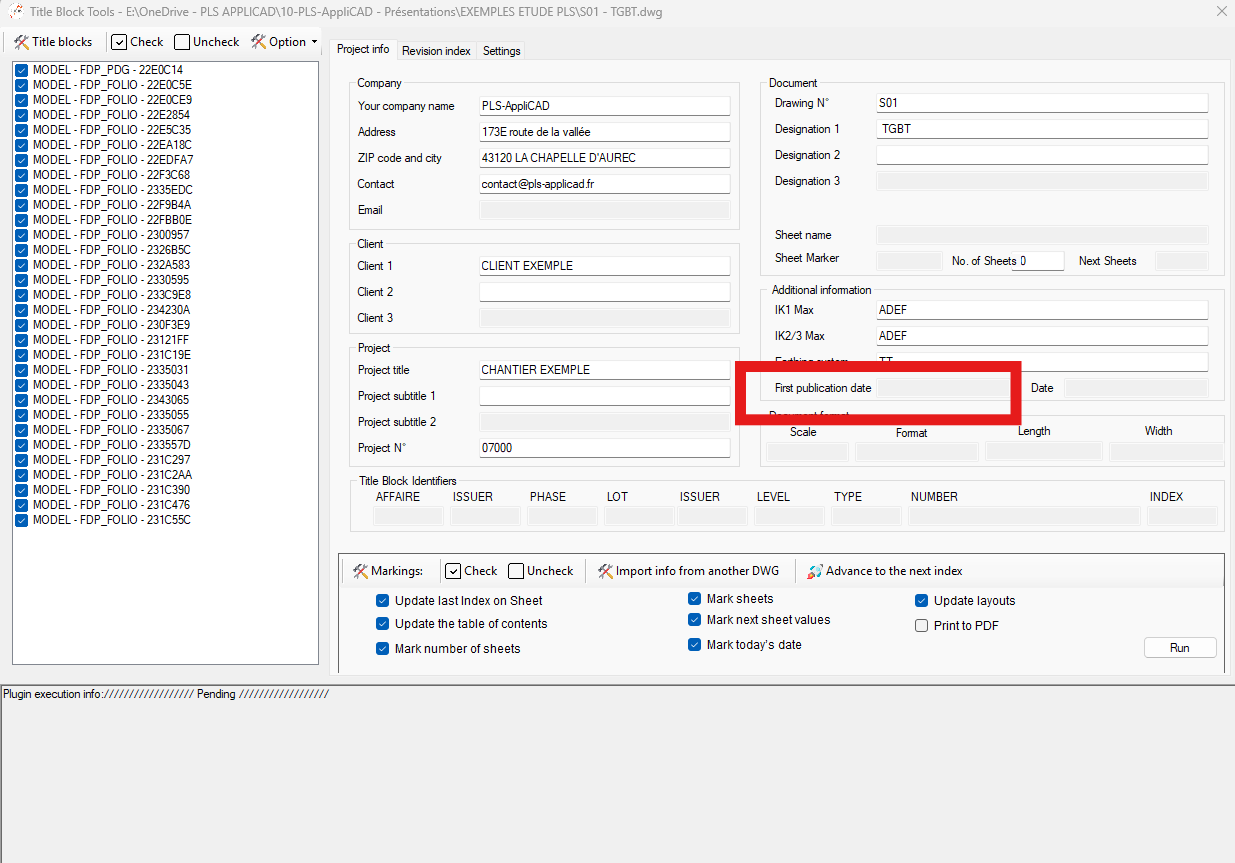
This tool performs an AutoCAD insert today’s date operation across all selected drawings.
It opens each DWG, writes today’s date (format DD/MM/YY, for example 01/01/25) in the appropriate
title block fields, then saves the updated file.
As a result, you can issue an entire project with a consistent and official date.
This is especially useful for revisions, document delivery, and customer validation.
If you want to explore other DWG automation tools, visit our
AutoCAD plugin collection.
How the AutoCAD insert today’s date tool works
Processing DWG by DWG
First, the software opens each selected DWG one after another.
Every file becomes the active drawing during the update.
Each drawing is opened automatically. Writing today’s date
Next, the module runs the Today’s Date routine.
It inserts the current date (format DD/MM/YY) in every sheet of the DWG.
This ensures that the entire project uses the exact same issue date.The same date is applied to all sheets. Saving and moving to the next drawing
Finally, the DWG is saved once the date has been applied everywhere.
Immediately after, the software loads the next drawing in the list and repeats the operation.
This makes the process fast, consistent, and fully automated.Each DWG is dated, saved, then processed in order.

Why use AutoCAD insert today’s date?
Using an AutoCAD insert today’s date automation helps maintain
consistent document control. It avoids manual entry errors, saves time on large
projects, and ensures every sheet reflects the correct official issue date.