
AutoCAD delete wipeout – remove MASK elements in blocks and model space
This module performs an AutoCAD delete wipeout cleanup on your drawing.
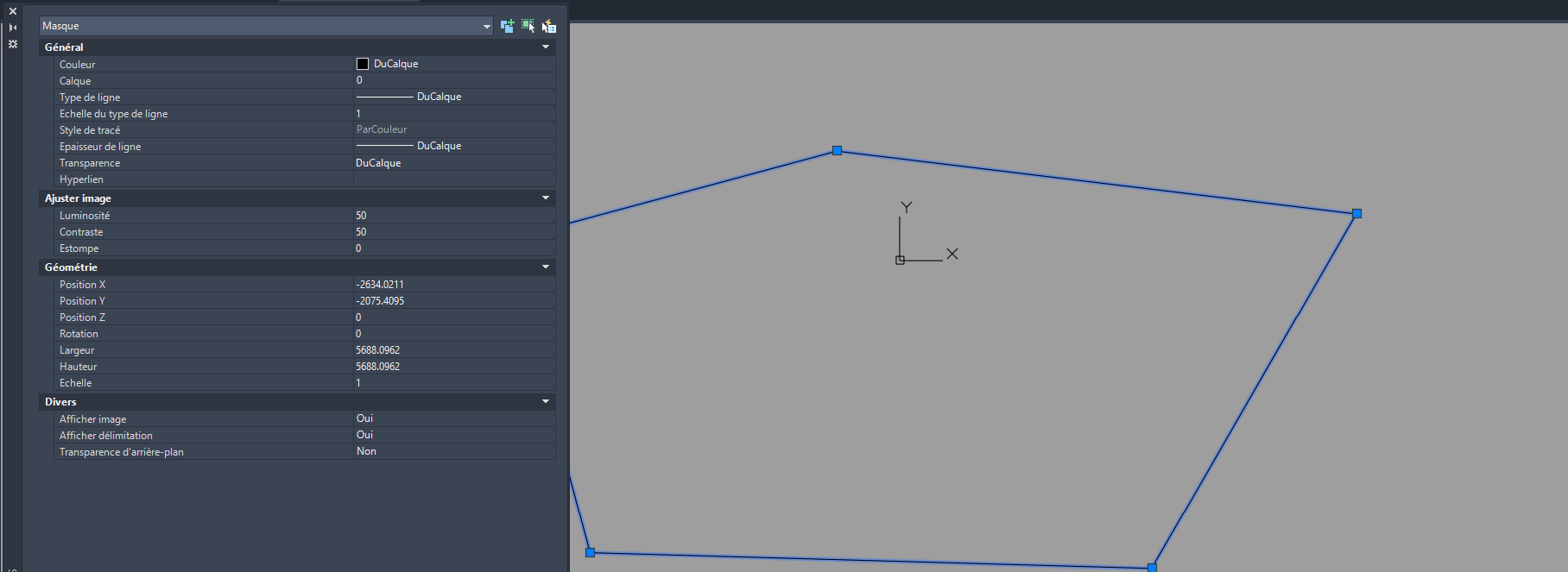
It removes all masking elements (type Wipeout / MASK)
found in Model Space and inside blocks. The goal is to eliminate areas that hide geometry
on screen, in printed plans, or in exported PDFs.
All other entities remain intact: the tool only deletes masking objects.
This gives you a clean DWG with no mysterious white patches.
For additional cleanup and standardization tools, you can browse our
AutoCAD plugins collection
. For background information about wipeouts and masks, see the
official Autodesk documentation
.
How the AutoCAD delete wipeout cleanup works
Open the DWG
First, the software opens the DWG you want to clean.
The loaded file becomes the active drawing for mask removal.
Loading the source drawing. Detection of masks in Model Space
Next, the tool scans Model Space to detect masking entities: opaque regions, wipeouts and
similar objects that hide content behind them.Finding masking areas in the model. Removal of masks in Model Space
Then, all detected masking elements in Model Space are removed.
As a result, no more white or blank regions block the view or the printing of your geometry.Model cleanup: removal of obstructive wipeouts. Cleanup inside blocks
After Model Space, the software opens block definitions one by one and looks for the same
type of masking elements inside the blocks. This is important because some wipeouts are
hidden inside symbols or dynamic blocks.Internal cleanup of blocks to remove embedded masks. Preservation of other entities
All other entities (geometry, text, hatches, attributes, etc.) remain unchanged.
Only the masking elements are removed, so your technical content is fully preserved.Only opaque screens are removed, useful content is preserved. Save the DWG
Finally, the DWG is saved once all masks have been removed.
You get a drawing with no white areas hiding your symbols, ready to be printed or exported to PDF.Final file saved, ready for use or printing.

Why use AutoCAD delete wipeout?
Running an AutoCAD delete wipeout cleanup helps you avoid unwanted blank areas,
unexpected masking in PDFs and confusing prints. It also makes the DWG easier to understand,
especially when sharing it with clients or partners who do not know where masks were placed.