
AutoCAD update Excel – sync DWG data with BD_PLS
This module synchronizes data from the DWG with your Excel file and automatically keeps the
BD_PLS technical sheet up to date. It works even if your workbook contains formulas or VBA,
so that your other sheets can rely on a BD_PLS table that is always current.
The goal of this AutoCAD update Excel workflow is to avoid manual re-entry:
the real values are read directly from the drawing and pushed into Excel.
You can then use BD_PLS as a reliable source for quantities, reports or dashboards.
For more productivity features, see our
AutoCAD plugins collection.
For general information on linking CAD and data, you can also visit the
official Autodesk documentation
.
How to update BD_PLS data from a DWG
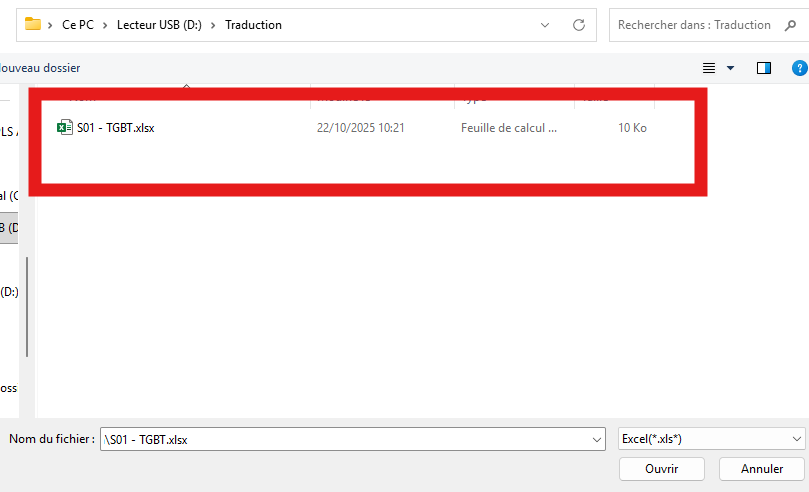
Select the Excel file to update
First, you choose the target Excel file.
In most projects, this is your tracking workbook containing a sheet named BD_PLS.
Select the Excel file that will receive the new data. Locate the BD_PLS sheet
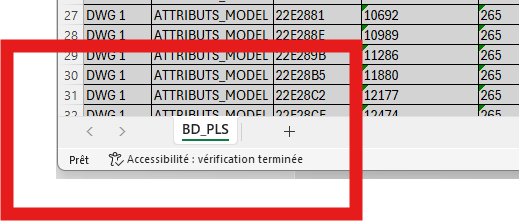
Next, the software opens the workbook and searches for the BD_PLS sheet.
This is the sheet that will be synchronized with the DWG data.The BD_PLS sheet is detected automatically. Update confirmation
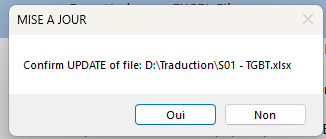
Then, a confirmation prompt appears before writing changes to Excel.
This extra step helps avoid overwriting data without your approval.Manual validation prevents accidental overwrites. DWG ↔ Excel comparison
After validation, the software reads information from the DWG (attributes, technical data, etc.)
and compares it to the current contents of the BD_PLS sheet.
It determines which lines or cells need to be updated.Only the differences are used to rewrite BD_PLS with the actual DWG values,
which keeps your technical table aligned with the drawing.Differences are identified to synchronize BD_PLS with the real DWG data. Saving the updated workbook
Finally, Excel is saved with the new values coming from the DWG.
Your formulas, pivot tables or VBA procedures can immediately use this refreshed BD_PLS dataset.The BD_PLS sheet is now synchronized with the latest DWG data.

Benefits of updating Excel from DWG data
By connecting your drawings to an Excel sheet like BD_PLS, you can drive reports, summaries and dashboards
from real CAD data instead of manual copies.
This AutoCAD update Excel workflow reduces errors, saves time on repetitive updates
and improves consistency between your technical documents and your drawings.