Purpose: Insert attributes into blocks with attribute synchronization
This tool adds a new attribute to multiple blocks in the same DWG and forces synchronization on all existing block references (similar to the BATTMAN command).
Goal: quickly add a shared attribute to an entire family of blocks already present in the drawing, without manually replacing or recreating them.
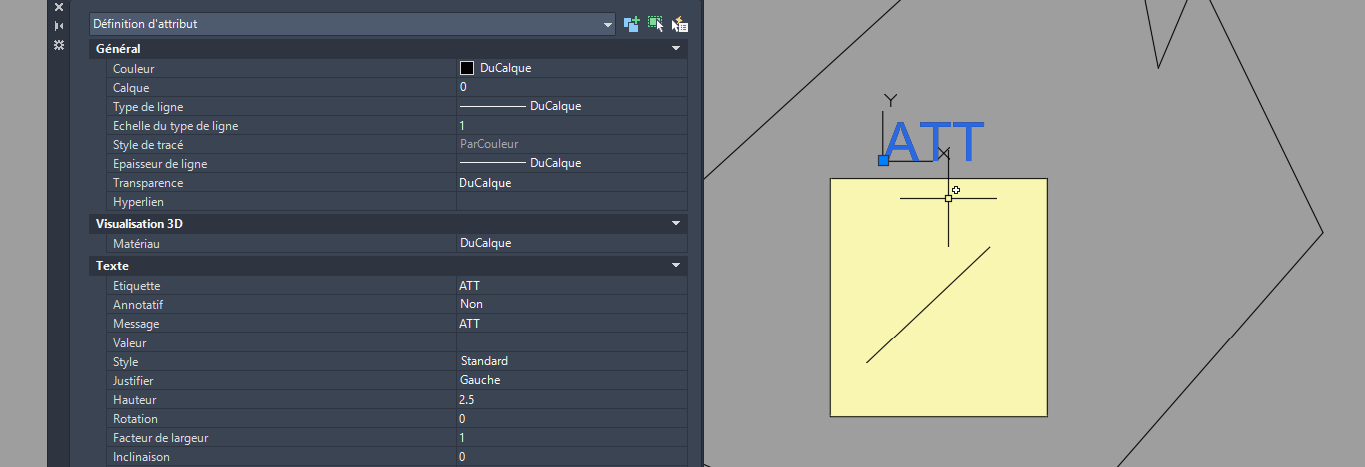
Choose the attribute name
The software opens the DWG and asks for the name of the attribute to add.
The attribute is created as invisible so it does not visually affect the drawing.
You define the attribute name to inject. Select the blocks to modify
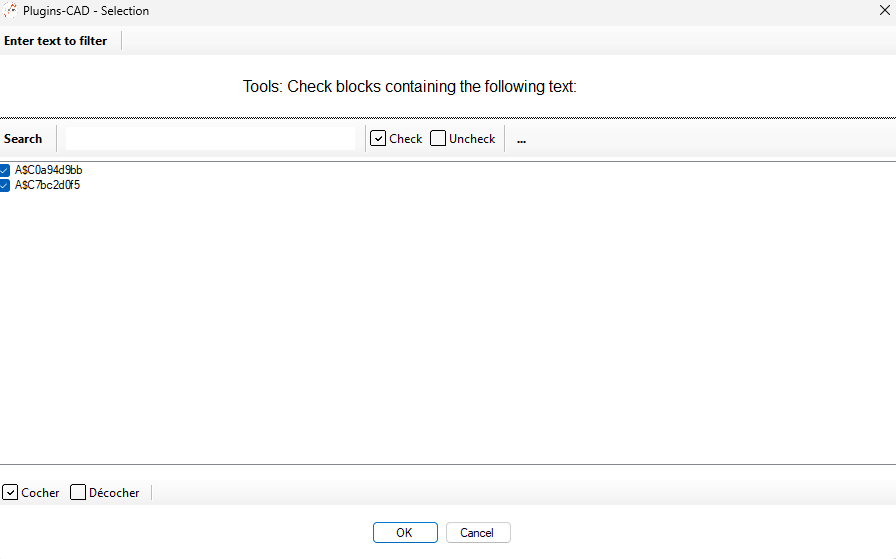
A list of blocks contained in the DWG is displayed.
You choose which blocks will receive the new attribute.You decide which blocks get the new attribute. Insert the attribute into the block definition
The new attribute is inserted directly into the definition of each selected block.
It is now part of the block structure.The block is updated to include the requested attribute. Synchronize block references
The software synchronizes all existing block insertions in the drawing
(similar to running BATTMAN → Sync).
Result: all existing occurrences of the block now also receive the new attribute.Every existing instance of the block is updated. Save the DWG
The DWG is saved with the updated and synchronized blocks.
All targeted blocks now include the new attribute.The final file is ready with harmonized attributes.