
AutoCAD layouts Excel – export the list of layouts to Excel
This module extracts the list of layouts (Paper Space tabs) from the DWG and sends them to an Excel file.
You get a clear table with each layout name and its order in the drawing.
Then, you can edit these names directly in Excel and prepare a clean naming convention.
After that, you can use the associated import tool to re-inject the updated names and
rename all layouts automatically in AutoCAD.
This AutoCAD layouts Excel workflow is ideal for harmonizing titles, client labels
and sheet names across complex projects.
You can also combine it with other tools from our
AutoCAD plugins collection.
For more information on layouts and Paper Space, visit the
official Autodesk documentation
.
How to export the list of layouts to Excel
Retrieving DWG layouts
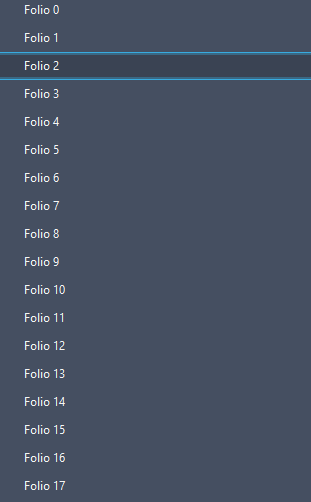
First, the software scans the DWG and lists all existing layouts.
No manual selection is required: every Paper Space tab is retrieved automatically.
Each layout (paper tab) is detected. Building the table
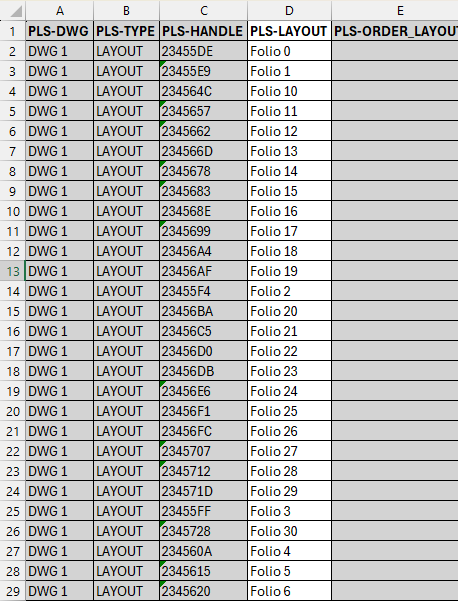
Next, the layout names and their order are added to an internal table.
This gives you a structured view of all printable sheets in the project
and helps you quickly spot missing or inconsistent names.Centralized view of all DWG page layouts. Export to Excel
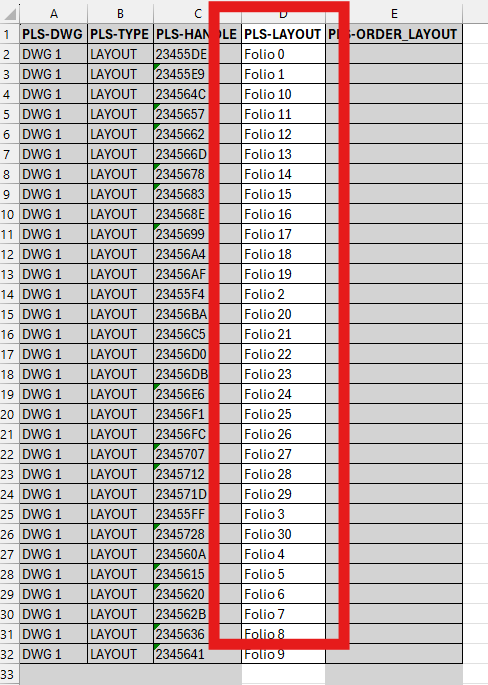
Then, the table is exported to an Excel file.
In this Excel sheet, you can freely edit layout names, fix typos,
harmonize client labels or apply your own naming rules.An Excel ready for editing, validation and distribution. Preparing for automatic renaming
Finally, the generated Excel remains compatible with the layout import tool.
After editing your names in Excel, you can re-inject this information into the DWG
and rename each layout automatically, instead of renaming them one by one in AutoCAD.Excel becomes your roadmap for global renaming.
Benefits of exporting layouts to Excel
By exporting layout data to Excel, you can control naming conventions outside AutoCAD,
collaborate easily with colleagues or clients, and validate titles before publishing.
This AutoCAD layouts Excel approach speeds up sheet management
and reduces the risk of errors in complex projects.