
AutoCAD one PDF per layout – generate one PDF file per sheet
This module creates a separate PDF for each layout (each Paper Space tab).
Instead of one global file, you get a series of PDFs such as
ProjectPlan_Layout1.pdf, ProjectPlan_Layout2.pdf, and so on.
This is perfect when you need to send only specific sheets to a client or subcontractor
without sharing the entire drawing set.
This AutoCAD one PDF per layout workflow also makes document management easier:
you can upload individual PDFs to a platform, attach just one sheet to an email,
or replace only one page in a larger deliverable.
For more tools of this type, explore our
AutoCAD plugins collection
. For general information on plotting layouts, see the
official Autodesk documentation
.
How to generate one PDF per layout
Opening the DWG
First, the software automatically opens the DWG to process.
You do not need to prepare a print set manually.
The active DWG becomes the print source. Reading all layouts
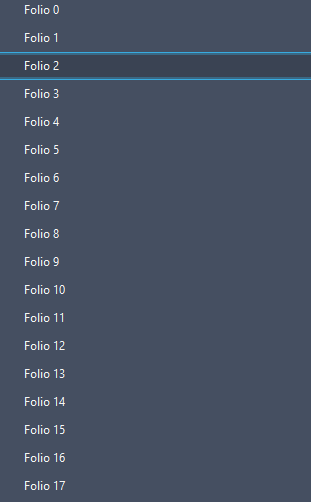
Next, the tool retrieves the full list of layouts (all Paper Space tabs).
Each layout is prepared to be exported as an individual PDF.Each sheet is prepared individually. Exporting one PDF per layout
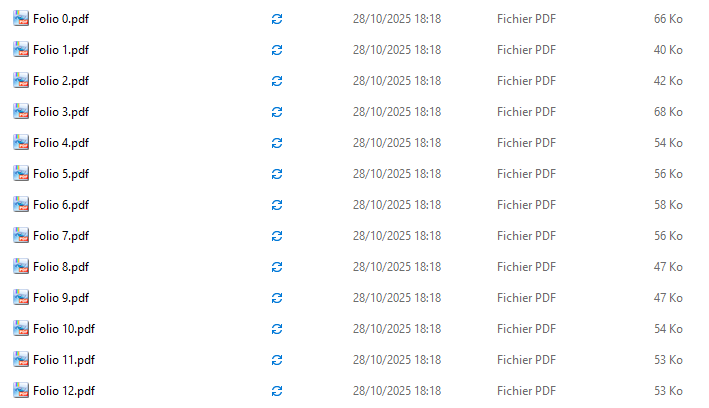
Then, for each layout, the plugin generates a separate PDF.
The filename usually includes the DWG name and the layout name, for example:MyDrawing_GroundFloor.pdf,
MyDrawing_Level1.pdf.1 layout = 1 standalone PDF. DWG unchanged
Finally, the DWG is not modified by this operation.
The action only produces the individual PDF files, leaving the original drawing intact.The original drawing remains untouched; only the PDFs are created.
Benefits of generating one PDF per layout
Creating separate PDFs for each layout gives you more flexibility when sharing or archiving drawings.
You can send only the relevant sheets, reduce file size for email, or manage approvals sheet by sheet.
This AutoCAD one PDF per layout approach saves time compared to manual plotting
and helps keep your documentation clear and well organized.