
AutoCAD automatic sheet numbering – assign sequential folio numbers
This tool performs an AutoCAD automatic sheet numbering operation on your entire project.
It opens each DWG in the list, detects the title block, and assigns a sequential number such as
1, 2, 3… based on the position of your sheets. As a result, your drawing set becomes clean,
consistent, and ready for official issue.
Because the numbering is applied automatically, you avoid manual errors and save valuable time,
especially on projects containing dozens or hundreds of drawings.
How automatic sheet numbering works
DWG-by-DWG processing
First, the software loads each DWG in the order shown in your list.
This ensures a predictable sequence for the folio numbering.
Each file is processed individually. Automatic sheet numbering
Next, the module executes the “Assign Sheet Numbers” function.
It determines the correct order based on the X–Y position of the sheets,
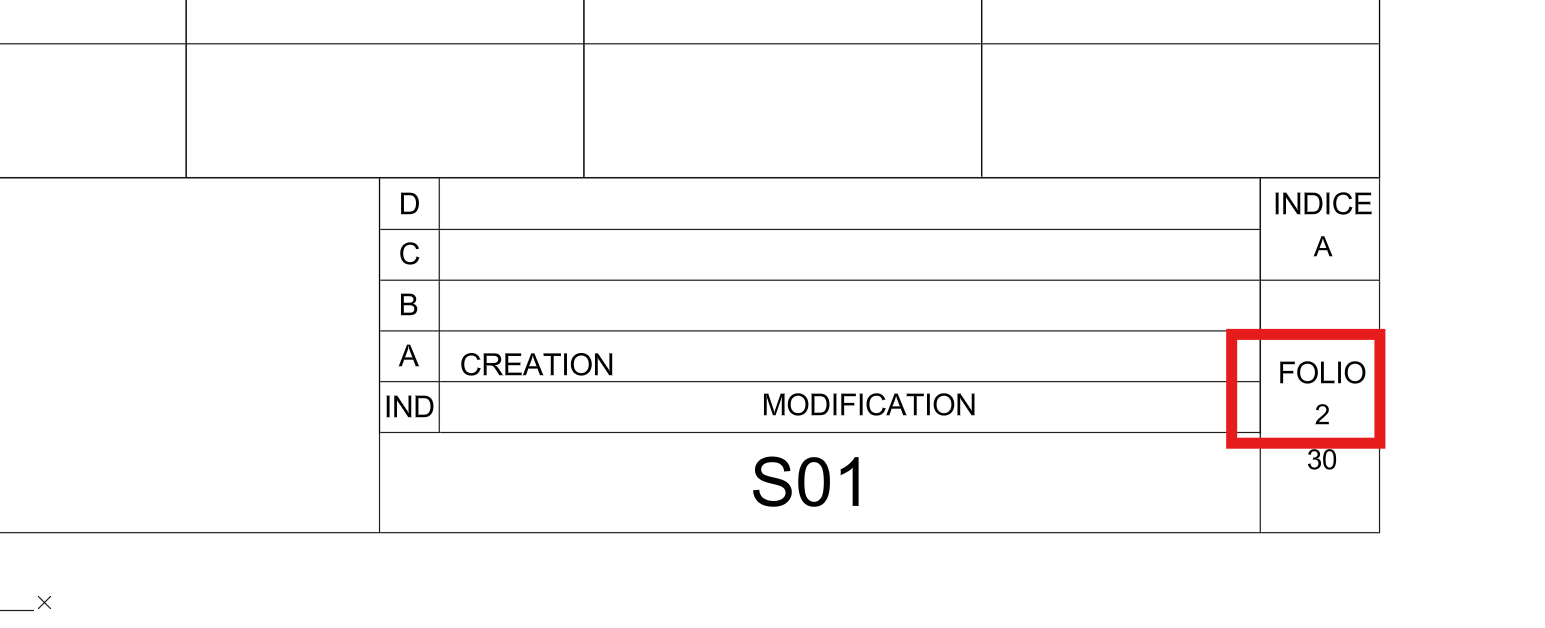
then writes the appropriate sequential number in the title block.
Consequently, every sheet receives a unique and consistent folio number.Each sheet is numbered according to its position. Saving each DWG and continuing
After applying the sheet number, the tool saves the DWG automatically.
Then, the next drawing in the list is processed. As a result,
all sheets end up correctly numbered without any manual intervention.Each file is saved and the next one begins.

Why use automatic sheet numbering?
Using an AutoCAD automatic sheet numbering tool ensures consistency,
eliminates manual mistakes, and accelerates project preparation.
It is particularly useful for large projects, revisions, and official submissions
where clear folio numbering is mandatory.