Purpose: Convert XREF to grey
This process prepares a DWG to be used as a background (XREF) by making it clean, readable, and grey.
The plugin:
– removes temporary elements,
– standardizes blocks, dimensions, and text,
– removes noise (points, anonymous blocks),
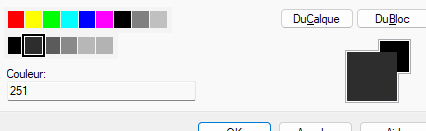
– then applies color 251 grey in Model space.
Result: a clear and non-dominant background drawing to attach as XREF.
Opening the DWG
The software opens the DWG to be converted into a grey XREF.

Loading the source drawing. Cleaning “CLEAN” elements
Removes elements tagged “CLEAN” in Model space,
then performs the same cleaning inside blocks.
Purpose: remove internal working markers before sharing.Temporary items are removed from the drawing. Standardizing block and dimension colors
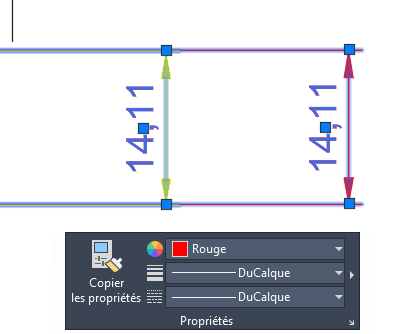
All internal elements of blocks are set to ByBlock,
and dimensions are also forced to ByBlock.
The goal is to avoid fixed colors (bright red, green, etc.).Blocks + dimensions = clean, manageable. Removing technical points
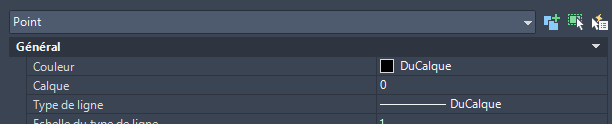
Deletes all POINT entities:
– in Model space,
– in Paper space,
– and inside blocks.
This removes stray survey/tech points that clutter the drawing.Removing unnecessary points everywhere. Exploding anonymous / special blocks
Anonymous and special blocks are exploded into simple geometry.
This prevents uncontrolled “weird” blocks inside the XREF.Anonymous blocks are replaced with standard geometry. Standardizing text to Arial
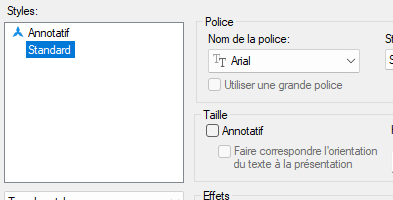
Text styles are updated to Arial.
Purpose: clean, readable, and consistent text inside the XREF.Standard font for clear readability. Applying grey 251
All elements in Model space are assigned color 251 (grey).
The drawing becomes a soft, neutral background, ideal as an XREF reference
under another electrical, HVAC, or similar project.The entire background is converted to a soft grey. Saving the DWG
The transformed DWG (clean + grey) is saved.
It is now ready to be used as an XREF.Final file saved, ready to attach as XREF.