
AutoCAD delete POINT – remove all POINT entities
This tool removes all POINT entities from a DWG file. It scans Model Space and also explores inside blocks.
Every POINT found is deleted, while all other elements remain intact.
As a result, the final drawing is cleaner and easier to read.
This feature is especially useful for deleting point clouds, topographic imports or temporary reference points.
It allows you to clean the file before exporting, printing or delivering it to a client.
You can combine this tool with our other cleanup features available in the
AutoCAD plugins collection.
For more details about POINT entities and geometric objects, visit the
official Autodesk documentation.
How the POINT cleanup tool works
Opening the DWG
First, the software opens the DWG that you want to clean.
The POINT cleanup will be performed directly on the loaded file.
Loading the source file. Searching for POINT entities
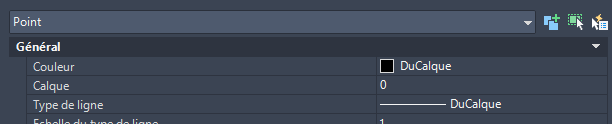
Next, the tool scans Model Space and also looks inside nested blocks.
It detects all entities of type POINT, regardless of where they are located.Scanning POINT entities in the drawing and inside blocks. Removal of all detected POINTS
Then, all detected POINT entities are removed automatically.
This process eliminates technical points, topographic markers and temporary reference dots.Mass cleanup of technical and temporary points. No impact on the rest of the drawing
However, all other entities such as lines, text, blocks, polylines and hatches remain unchanged.
Only POINT objects are removed, ensuring drawing integrity.The drawing remains unchanged, without unwanted points. Saving the DWG
Finally, the cleaned DWG is saved.
You obtain a point-free drawing, ready for export or delivery.Drawing saved after point cleanup.


Why delete POINT entities?
Removing POINT objects makes the drawing lighter and easier to read.
It also prevents unwanted markers from appearing during printing or exporting.
This AutoCAD delete POINT workflow speeds up drawing cleanup and keeps your files tidy.