
AutoCAD template DWG – open the preconfigured blocks model
This module is only used to open the provided AutoCAD template DWG.
This DWG contains a ready-to-use title block, a summary block and other elements
already configured to work correctly with the application (attributes, structure, names, etc.).
You can reuse it as a template to start a new project that follows the right standards.
Using a common template helps you keep consistent layouts, attributes and naming rules across all
your drawings. You can combine this template with other tools from our
AutoCAD plugins collection
.
For more information about DWG templates and title blocks, you can also refer to the
official Autodesk documentation
.
How to open the AutoCAD template DWG
Open the model DWG
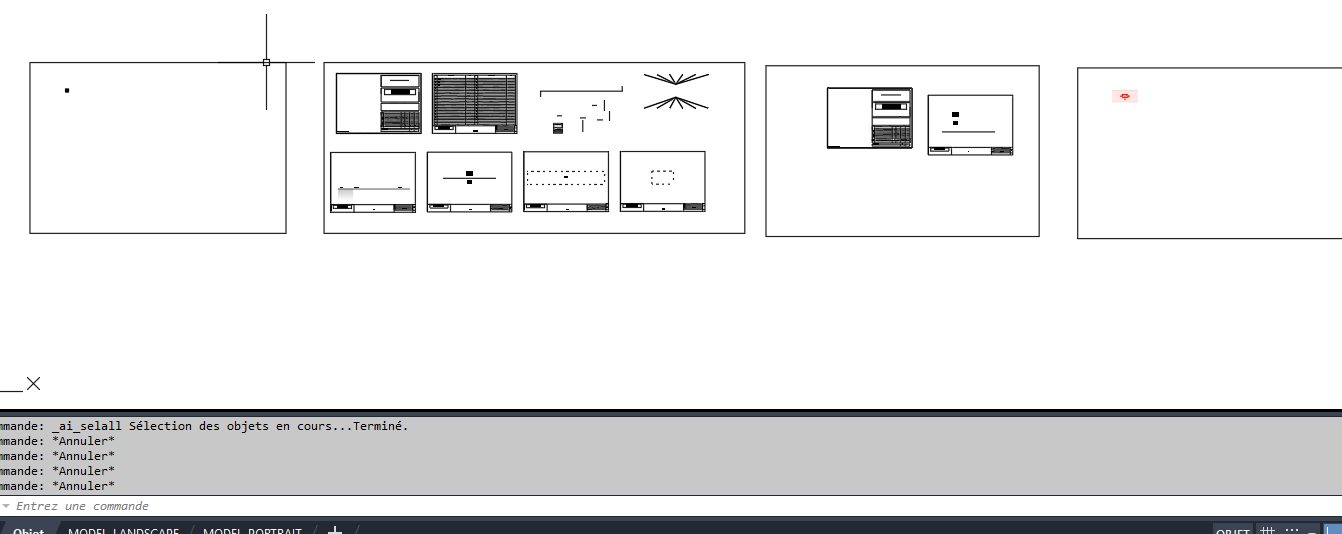
First, simply double-click the item in the application to open the template DWG.
The file opens in AutoCAD like any standard drawing.
Direct opening of the reference DWG. Access the preconfigured blocks
Once the model is open, you have access to all preconfigured DWG blocks:
compatible title blocks, summary blocks, and attributes already named as expected by the application.
These blocks are ready to be used, copied or inserted into your own drawings.Use the model as a library of validated blocks.

Why use an AutoCAD template DWG?
Working from an AutoCAD template DWG ensures that each new project starts
with the correct title block, summary and attributes.
It reduces configuration time, avoids naming errors and keeps your deliverables consistent
across the whole team.